

The Stereo Fold
The Stereo Fold
 Windows 10 or 11
 Apple macOS
Couldn't load pickup availability
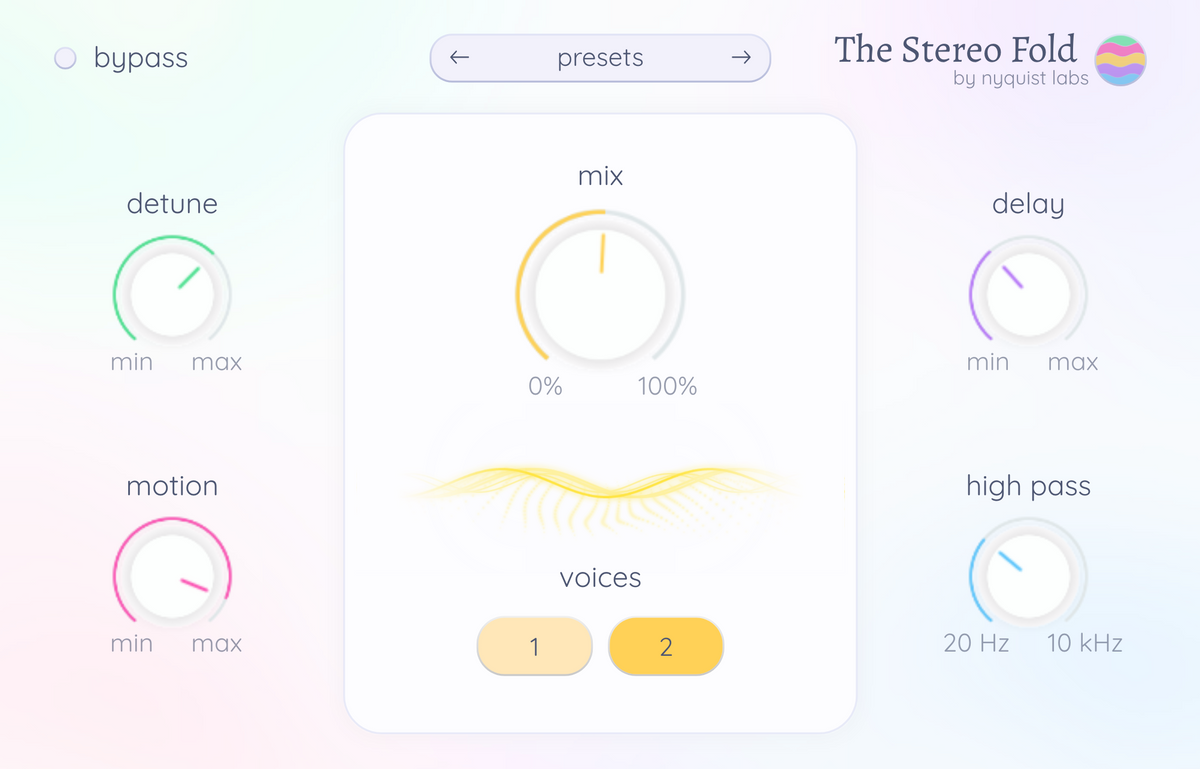
20 Studio-Ready Presets – No Tweaking Required
Skip the endless adjustments. Each preset is crafted to sit perfectly in your mix, so you can focus on the music, not the settings.
Tons of Built-In Effects to Shape Your Unique Sound
From lush reverb to expressive tremolo, adjustable EQ, and more, our intuitive controls make it easy to add your personal touch and stand out.
Dream Sound, Delivered Fast
Feel confident your music will hit the mark. With our presets and tools, you're guaranteed a polished, professional sound every time – no second-guessing required.
Up and Running in Minutes
No technical headaches. Download, install, and load your first preset in under 5 minutes. Start playing immediately with zero frustration.
Seamless Integration with Any Workflow
Works flawlessly in all major DAWs on Windows and Mac. Whether you're using FL Studio, Ableton, or any other DAW that supports VST3, our plugin fits right in so you can start creating instantly.
Make Other Producers Ask, ‘Where Did You Get That Piano?'
Your producer friends will want to know the secret behind your piano tracks. Achieve the sound of a seasoned producer – even if you're just starting out.
Frequently Asked Questions
Is this plugin for Windows and Mac? What are the system requirements? What size is the plugin?
Yes, the plugin works on both Windows and macOS. We recommend having at least 2 GB of RAM. The plugin takes less than 1 GB of storage.
01
How do I install the plugin and samples? Is there an installation guide? Troubleshooting?
02
What is your refund policy?
Since this is a non-physical product, we sadly cannot offer refunds. If you're uncertain whether the plugin is something for you, make sure to try out The Original Piano FREE version before purchasing the PREMIUM version.
03
Do you provide product support?
Yes, for support, please contact us here. We're very sorry for long delays to get a reply, we're a small company and we try our best :).
04
Where can I find my download after purchase?
You can find and download the plugin and samples from your account. Click the "My Downloads" section in the menu bar. After purchase, you will also be sent an email with a link to your download.
05
Are updates free?
Yes, if you own the PREMIUM version, then you have access to lifetime free updates! Make sure to click the subscribe box at checkout. Check your mailbox for free occasional new piano sounds!
06
Do you offer a free trial or demo version?
You can try The Original Piano with the FREE version, which includes 3 piano sounds to give you a taste of the full experience.
07
Where can I find the license key?
You can find the license key inside one of the emails that you receive after purchasing the plugin (check your spam/junk folder, one of the emails might end up here). You can also find the license key on the "My Downloads" page.
08
System Requirements
-
 Windows 10 or 11
-
 Apple macOS
- • 2 GB RAM
- • 1 GB free disk space
Supported Formats
- • VST3
- • AU (Apple)
- • AAX (Pro Tools) is not supported
